Available on the App Store
Turn your shifts into real, take‑home pay.
PayShift logs your hours and calculates gross, tax and net pay automatically, including tips and shift surcharges.
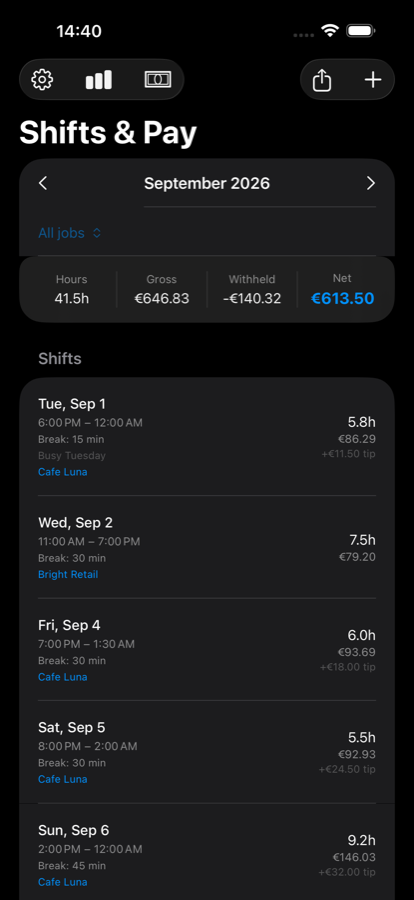
PayShift logs your hours and calculates gross, tax and net pay automatically, including tips and shift surcharges.
No timesheets, no separate tax spreadsheet, no manual math after every shift. PayShift keeps the numbers straight while you work.
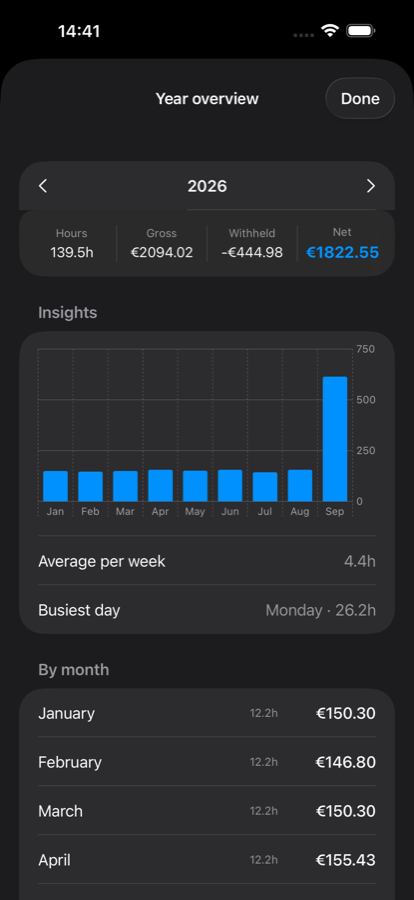
Monthly totals, average hours per week and your busiest day, built from the shifts you've already logged.
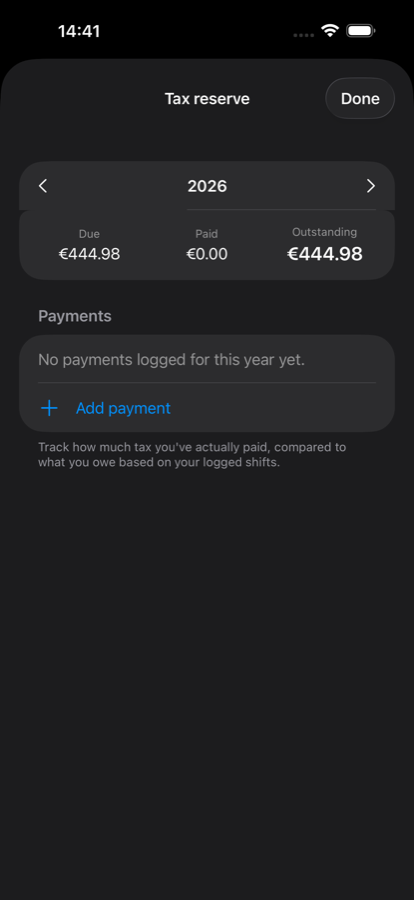
For jobs that don't withhold automatically. Track what's due against what you've actually paid, year by year.
Evening, night, weekend and holiday rates apply themselves, based on when a shift actually falls.
Point the camera at a printed or digital roster. PayShift reads the dates and times and adds the shifts for you.
No account to create, no ads, no cross-app tracking. Only anonymous usage statistics to improve the app. Turn on iCloud sync only if you want your data on more than one device. Read the full privacy policy.
Retail, hospitality, healthcare, construction, office work, or anything else with a schedule and a paycheck.
The core app is free for as long as you use it. Pro is a single unlock, not a recurring charge.
Free
€0
Everything you need to start tracking shifts today
Pro
€4.99
Unlocked once, forever. No recurring charge.
The short answers. Email if yours isn't here.
Yes. Unlimited shift logging and live gross and net pay calculations are free. A one-time Pro unlock (€4.99, no subscription) adds multiple jobs, schedule photo scanning, calendar sync, and iCloud sync.
No. PayShift has no account system and no ads, and doesn't follow you across other apps. It only sends anonymous usage statistics (no amounts, hours or names) to help improve the app.
Your shifts and settings stay on your device by default. Pro users can turn on iCloud sync to back up and sync data across devices through their own Apple account.
English, Dutch, German, and Spanish.
PayShift is available on the App Store for iPhone.
They are estimates based on what you enter. PayShift does not verify your hours or rates with an employer and is not tax or financial advice.